










Platform Support
Before jumping into Dirt Clicker, it’s worth knowing what the game actually expects from your setup — and what it doesn’t. Since this is still a demo ahead of a full November 2026 release, some platform details are firmer than others. Here’s what’s currently confirmed, straight from Steam’s own listing and the developers’ responses to player questions.
| Category | Status |
|---|---|
| Platform | Windows (confirmed) |
| Steam Deck Support | Not officially confirmed at this time |
| Engine | Godot |
| Save Data | Local save and Steam Cloud save |
| Other Steam Features | Achievements, Stats, Leaderboards, Family Sharing |
Confirmed Platform: Windows
Dirt Clicker currently runs on Windows systems, which is the only platform officially listed on its Steam store page. There’s no confirmation at this stage of a Mac or Linux native release, so anyone outside Windows should treat the game as Windows-only for planning purposes rather than assuming a port is on the way.
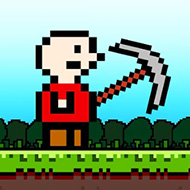
The game is built on the Godot engine, which tends to run comfortably on a fairly wide range of hardware given Dirt Clicker’s low-poly, minimalist pixel art style. Nothing about the visual presentation suggests demanding hardware requirements, though Steam has not published a formal minimum/recommended spec sheet for the title as of now.
Steam Deck: What’s Actually Known
Steam Deck compatibility is one of the more common questions around Dirt Clicker, and the honest answer is that it isn’t officially confirmed either way. Steam’s own listing does not currently carry a confirmed Deck compatibility rating for the game.
That said, the demo is playable on Steam Deck in practice, based on player reports — but not without friction. One issue that’s come up directly in the game’s community discussions involves the dice mini-game not functioning correctly on Deck, where pulling up the on-screen keyboard covers the dice interface, and confirming an entry either fails to register or changes the wrong value. This has been raised as a known issue rather than something players are expected to work around indefinitely, but it hasn’t been marked as resolved as of the most recent public discussion.
Save Data and Cloud Support
Dirt Clicker supports both local save data and Steam Cloud saving, meaning progress isn’t tied strictly to a single machine if Cloud saves are enabled through Steam. This is worth double-checking in your Steam settings if you plan to move between devices, since cloud sync generally needs to be active on both ends to carry progress over cleanly.
Beyond basic save support, the game also integrates with several other Steam features: Achievements, Stats tracking, Leaderboards, and Family Sharing. Worker-level stat tracking inside the game itself is a separate system from Steam’s own Stats feature, but both point toward a game built with an eye toward long-term progress tracking rather than a short, one-off experience.
Handling Crashes and Launch Issues
If Dirt Clicker crashes on launch, the developers have pointed to a specific fix built into how the game starts through Steam: when launching, a popup lets you choose a launch option, and selecting “Play Compatibility (if the game crashes)” is the recommended way to get the game running normally if the default launch method fails.
For any other bug encountered during play — not just launch crashes — the game includes an in-game bug report button, and the developers have asked players to include a few specific details when reporting: exactly what went wrong, what you were doing when it happened, the game version (visible at the bottom left of the screen), and your operating system and basic system specs. Reports that include this information tend to get addressed faster, based on how the developers have described their own bug-fixing process.
What This Means for New Players
In practical terms, Windows users should have no trouble getting Dirt Clicker running, and the modest visual style makes it unlikely that hardware will be a limiting factor for most setups. Steam Deck users can currently expect a playable but imperfect experience, with the dice mini-game being the most concrete known issue rather than a blanket compatibility problem across the whole game.
Given that the game is still pre-release, it’s reasonable to expect platform details — Steam Deck verification in particular — to firm up as the November 4, 2026 launch approaches, since that’s typically when developers finalize this kind of listing information.
Is Dirt Clicker confirmed to work on Steam Deck?
Not officially. Steam does not currently list a confirmed Deck compatibility rating, though the demo is reported to run with at least one known issue affecting the dice mini-game.
What should I do if the game crashes when I try to launch it?
Use the launch options popup that appears when starting the game through Steam and select “Play Compatibility (if the game crashes)” — this has been confirmed by the developers as the fix for launch crashes.
Does my progress carry over if I switch computers?
It can, as long as Steam Cloud saving is enabled, since Dirt Clicker supports both local and cloud saves. Confirming Cloud sync is active before switching devices is the safest way to avoid losing progress.
Dirt Clicker’s technical footprint is about as low-friction as its art style suggests — a Windows-only, Godot-built game with no unusual hardware demands. The rough edges that do exist, mainly around Steam Deck and launch crashes, already have documented workarounds, which is a reasonable sign for how the studio is likely to handle bigger issues once the full game ships.
